Event Tour
Tickets and Items
Tickets and Items is where you define what registrants can purchase or select when they register. A 'ticket' grants admission to the event; an 'item' can be any product or donation added to a registration order. Forge supports free tiers, tiered paid pricing, capacity limits, and donation items — all within the same event.
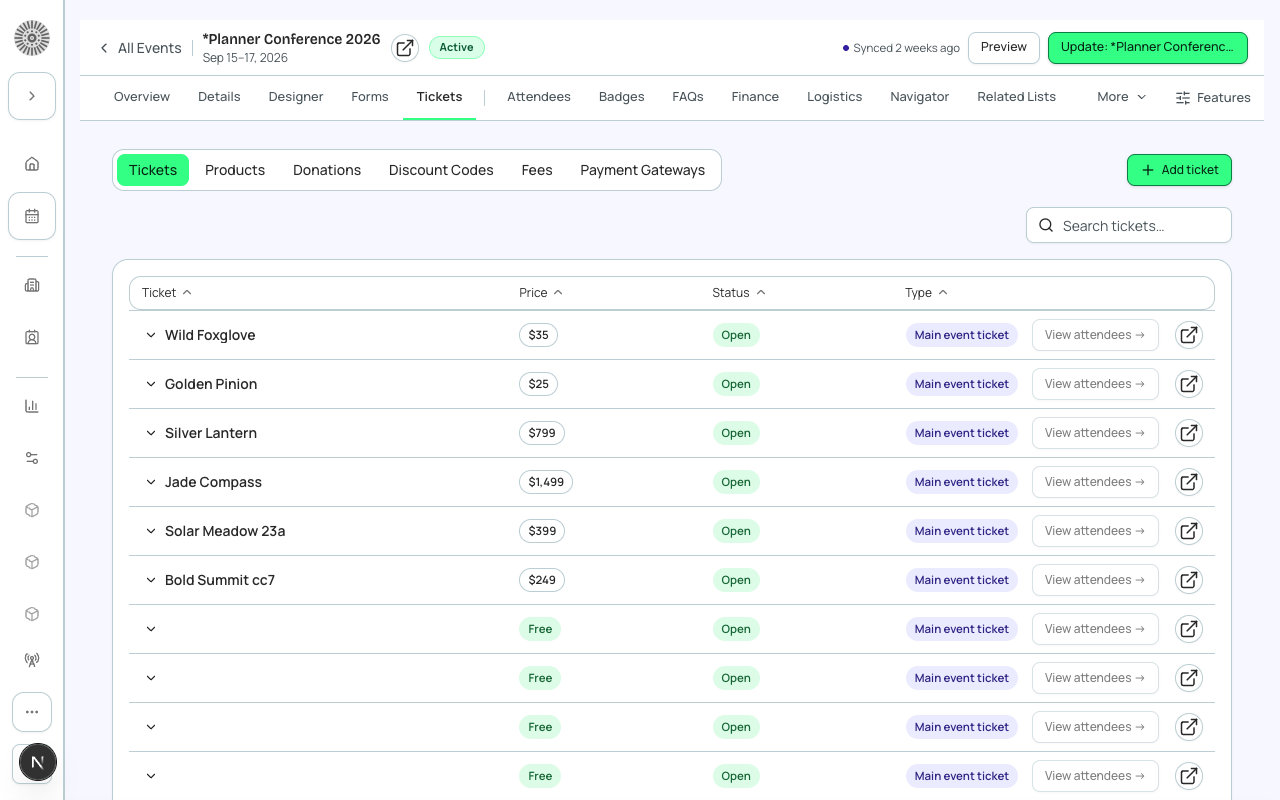
Types of Items
| Type | Description | Example (Planner Conference 2026) |
|---|---|---|
| Ticket — Free | No payment required. Registrant is confirmed immediately. | General Admission (free) |
| Ticket — Paid | Payment required. Registration is confirmed after successful payment. | $25 / $35 / $50 Standard; $249 Premium; $399 VIP; $799 Speaker; $1,499 Platinum |
| Donation | Registrant enters a custom amount to donate. Can be standalone or added alongside a ticket. | $50 donation item |
| Product | Physical or digital item (e.g., conference swag bag, workshop materials). Fixed price. | Workshop add-on |
Creating a Ticket
- Go to Tickets & Items tab and click 'Add Ticket'.
- Enter a name (e.g., 'General Admission'), price ($0 for free), and optional description.
- Set the quantity limit if this tier has a capacity (e.g., only 200 VIP tickets available). Leave blank for unlimited.
- Set the On Sale status. Options: On Sale (visible and purchasable), Off Sale (visible but not purchasable — shows 'Sold Out'), Hidden (not visible on registration page).
- Set optional date windows: 'Sale Starts' and 'Sale Ends' to enable early-bird or last-minute pricing automatically.
- Save. The ticket appears on the registration page immediately if it is On Sale.
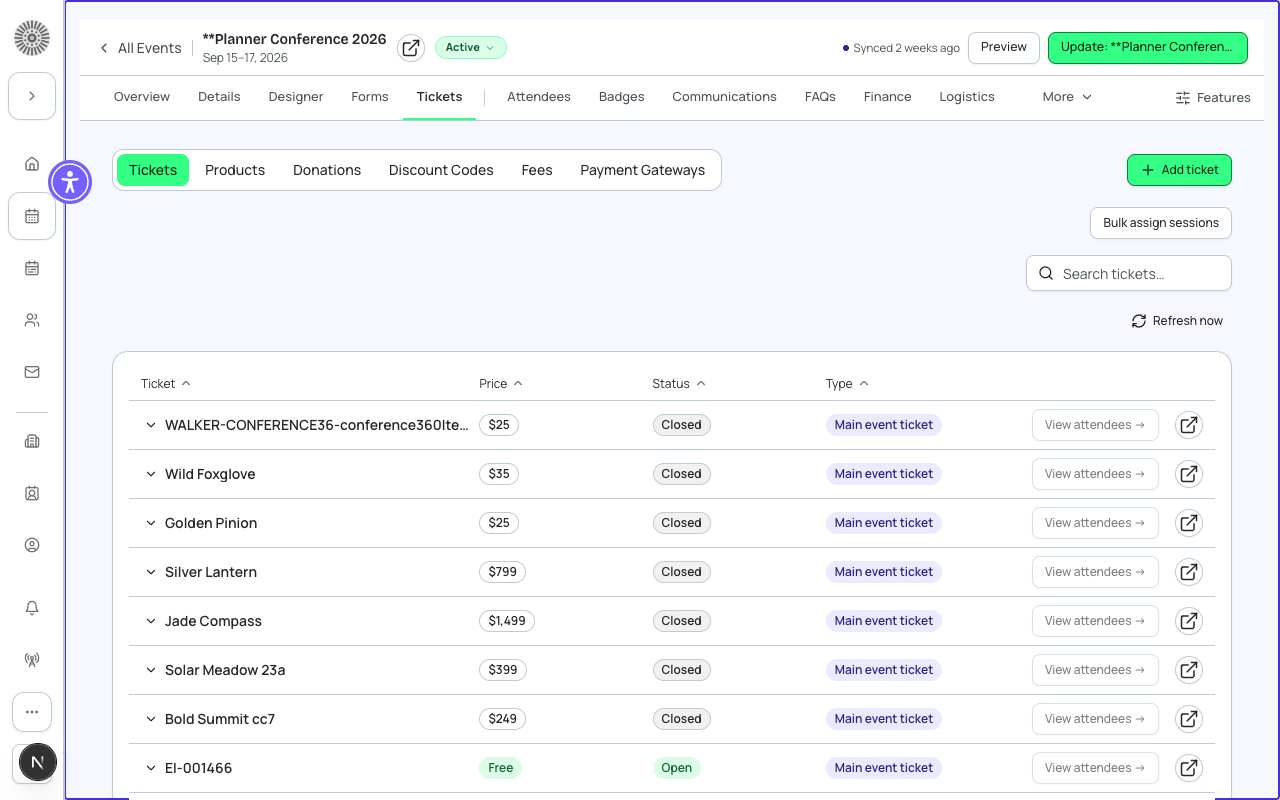
On Sale Status
The On Sale status controls what the registration page shows for each ticket type.
| Status | Registration page behavior |
|---|---|
| On Sale | Ticket is visible and the registrant can add it to their cart. |
| Off Sale | Ticket is visible but shows 'Not Available' or 'Sold Out'. Cannot be added to cart. |
| Hidden | Ticket does not appear on the registration page at all. Useful for internal or comped ticket types. |
Ticket Capacity
Each ticket type has its own quantity limit, independent of the event-level capacity set in Event Info. When a ticket's quantity is exhausted, that specific ticket type goes Off Sale automatically, even if the event still has overall capacity remaining.
Donation Items
A Donation item lets registrants contribute a gift alongside their ticket purchase. The registration form presents a free-entry amount field. Donations are processed as part of the same checkout flow and appear as separate line items on the order.
Fundraising module required for advanced donations
The basic Donation item type is available in all Forge plans. The full Donations module — recurring gifts, designations, campaign fundraising goals — requires the bt_fundraising__ Fundraising add-on (currently in beta).
Ticket Visibility Rules
You can make a ticket visible only to certain audience segments — for example, a member-only rate for people whose Contact record is tagged 'Member'. Set visibility rules in the ticket's settings under 'Audience Restrictions'. Requires at least one saved Audience.
Ordering Tickets on the Registration Page
Drag ticket rows in the Tickets & Items list to reorder them. The order here is the order registrants see on the page. Put the most relevant option first — typically the primary or most popular tier.
Salesforce mapping
Each ticket or item in Forge corresponds to one conference360__Event_Item__c record in Salesforce, linked to its parent conference360__Event__c. Payments for each item generate bt_stripe__Transaction__c records and contribute to the event's bt_stripe__Sales_Document__c order.
| Forge | SF Object | SF Field |
|---|---|---|
| Ticket / Item name | conference360__Event_Item__c | Name |
| Price | conference360__Event_Item__c | conference360__Price__c |
| Type (Ticket / Donation / Product) | conference360__Event_Item__c | conference360__Type__c |
| Free flag | conference360__Event_Item__c | conference360__Free__c |
| On Sale status | conference360__Event_Item__c | conference360__Status__c |
| Quantity limit | conference360__Event_Item__c | conference360__Quantity__c |