Global Tour
Communications
Communications is Forge's email hub. From here you can design and send emails to any audience — registrants, waitlisted attendees, speakers, sponsors, or custom segments — using either Salesforce-triggered sends or Forge-native scheduled sends.
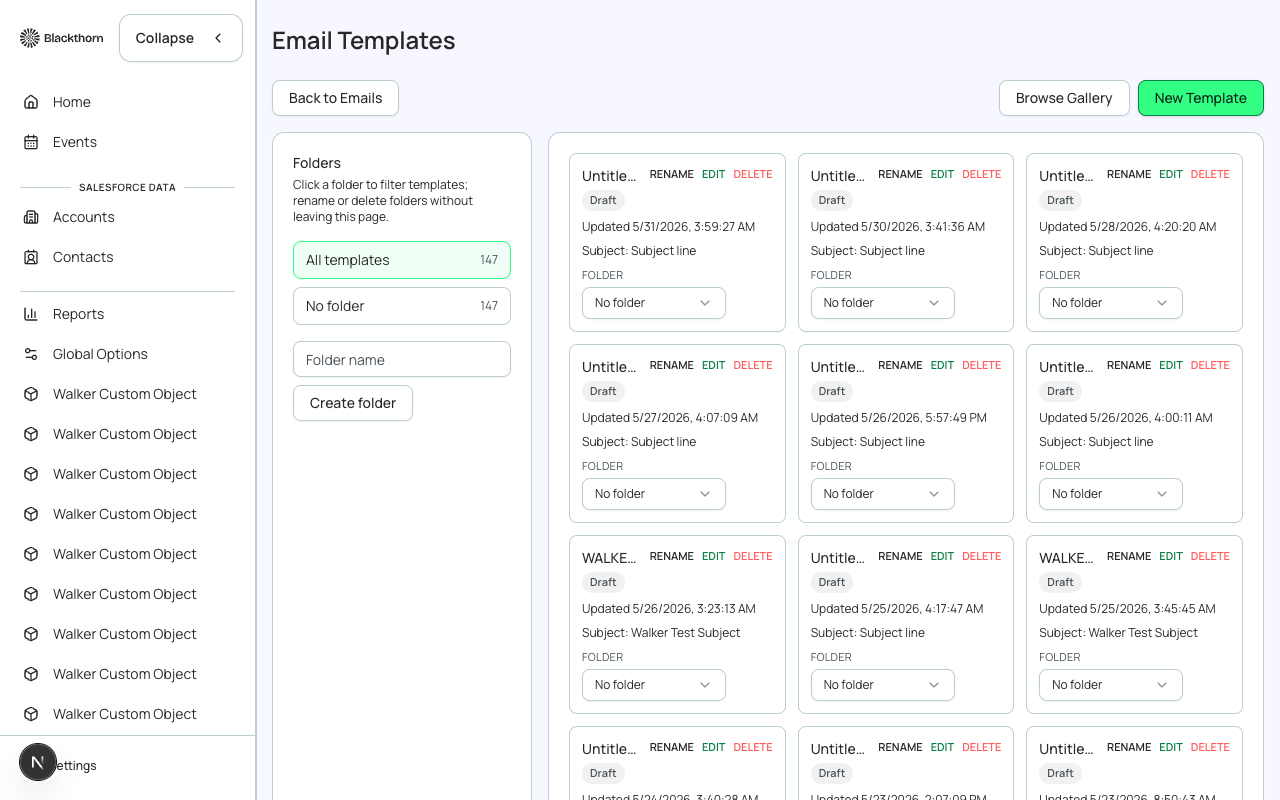
Email Templates
Templates define the reusable design and content shell for your emails. Forge includes a library of pre-built templates for common event communications (registration confirmation, reminder, cancellation, waitlist promotion, post-event survey).
- Templates use drag-and-drop content blocks: text, image, button, divider, social links.
- Merge fields pull in attendee and event data at send time (e.g., {{attendee.firstName}}, {{event.name}}, {{event.startDate}}).
- Templates can be shared across multiple events or locked to a single event.
- Brand settings (colors, fonts, logo) from your workspace apply automatically.
Sending an Email
- Navigate to Communications in the left sidebar.
- Click 'New Send' and select a template (or start from scratch).
- Choose your audience: all registrants, a saved Audience segment, or a manual list.
- Set the subject line and preview text.
- Schedule a send time or send immediately.
- Review the preview (desktop and mobile) and click Send.
Automated (Triggered) Sends
Triggered sends fire automatically based on registration events — no manual send required. Common triggers include: registration confirmed, ticket payment received, waitlist position promoted, event reminder (N days before event).
Triggered sends use Salesforce flows
Behind the scenes, triggered sends run as Salesforce-triggered email actions. Your SF admin can extend them with additional flow logic. See the Salesforce Triggered Sends guide for setup details.
Delivery Stats
After each send you can view open rate, click rate, bounce rate, and unsubscribe count. Click a metric to see the individual attendees behind it — for example, who clicked a specific button, or whose email bounced.
Unsubscribes and compliance
All Forge emails include a mandatory unsubscribe link. Attendees who unsubscribe are flagged in Salesforce and automatically excluded from future Forge sends. Never suppress this link.
Communications within an Event
Each event workspace also has its own Communications tab. Emails sent from there are pre-scoped to that event's registrant list, with the event name and dates pre-filled as merge fields. This is the fastest route for event-specific messaging.