Admin
Record Layouts
Record Layouts control which fields appear in Forge event-setup wizards and inline record forms. By customizing layouts, you can hide irrelevant fields, reorder inputs, and set fields as required — tailoring the data-entry experience to your organization's workflow without modifying Salesforce page layouts.
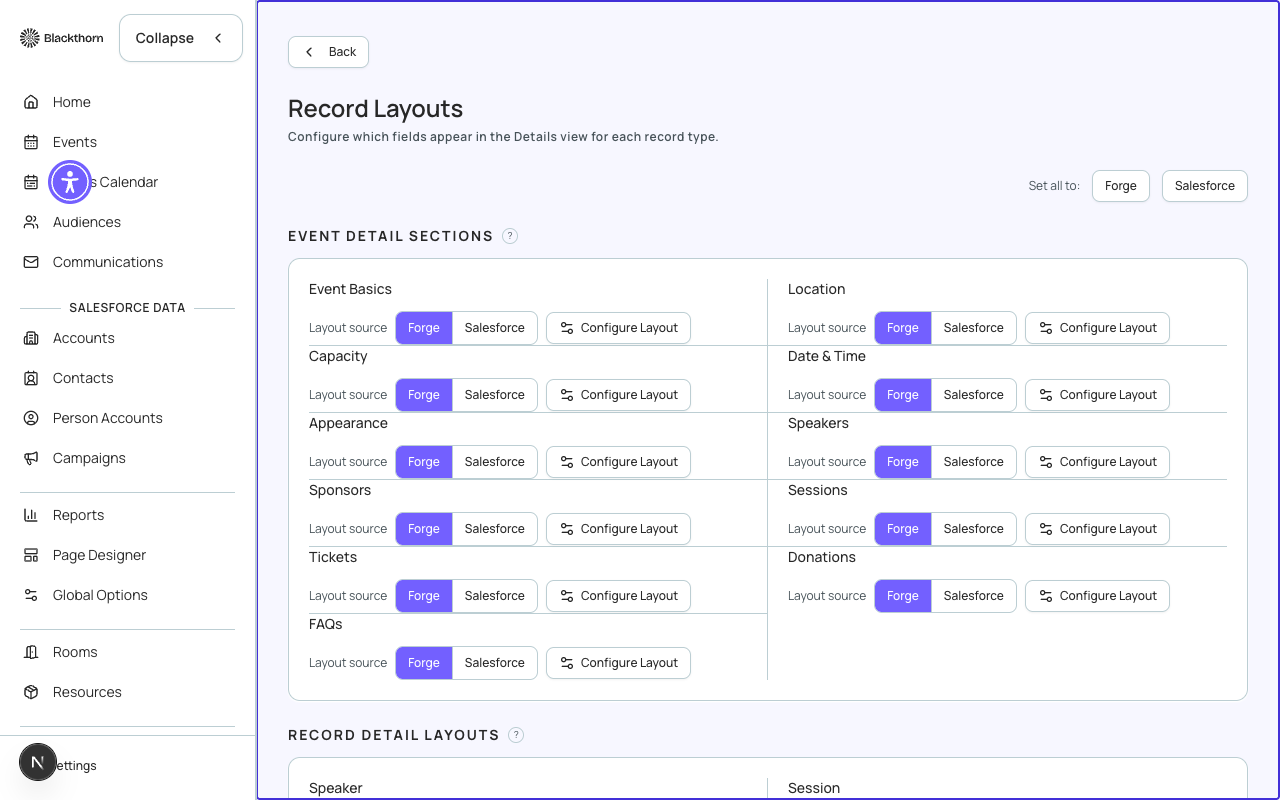
Supported objects
Record Layouts can be customized for the following Forge-managed objects: Event, Session, Ticket / Item, Attendee, Speaker, and Sponsor. Each object has its own layout definition.
Layout editor
Open Admin → Record Layouts and choose an object. The editor shows two columns: Available Fields (all fields Forge can surface) and Layout (fields currently in the form, in display order). Drag fields between columns and reorder them within the layout.
Field options
- Visible — show or hide the field from the wizard/form.
- Required — mark the field as mandatory at the Forge form level (separate from Salesforce required settings).
- Read Only — display the field value without allowing edits (useful for auto-populated audit fields).
- Width — half-width or full-width in the form grid.
Wizard-specific layouts
The event-creation wizards (Ol' Faithful and Magic) have a separate layout subset that controls what the user sees during the creation flow. Wizard layouts draw from the same field pool but can show a smaller, guided set of fields. Once the event is created, the full Event Info layout applies.
Resetting to default
Click Reset to Default on any object layout to restore Forge's standard field set and order. This will discard all custom layout changes for that object.
Record Layouts affect only the Forge UI. They do not change Salesforce page layouts, validation rules, or field-level security. Salesforce FLS still applies — a field hidden by FLS in Salesforce will not be editable in Forge even if it is visible in the layout.
If a field you expect to see is absent from the Available Fields list, check that it exists on the Salesforce object and that the Forge connected user has read access to it.