Admin
Logs and Audit
Forge maintains two separate log surfaces: API and Webhook Logs (operational) and the Audit Log (user-action record). Together they give you visibility into what happened, when, and who initiated it — essential for troubleshooting, compliance, and security review.
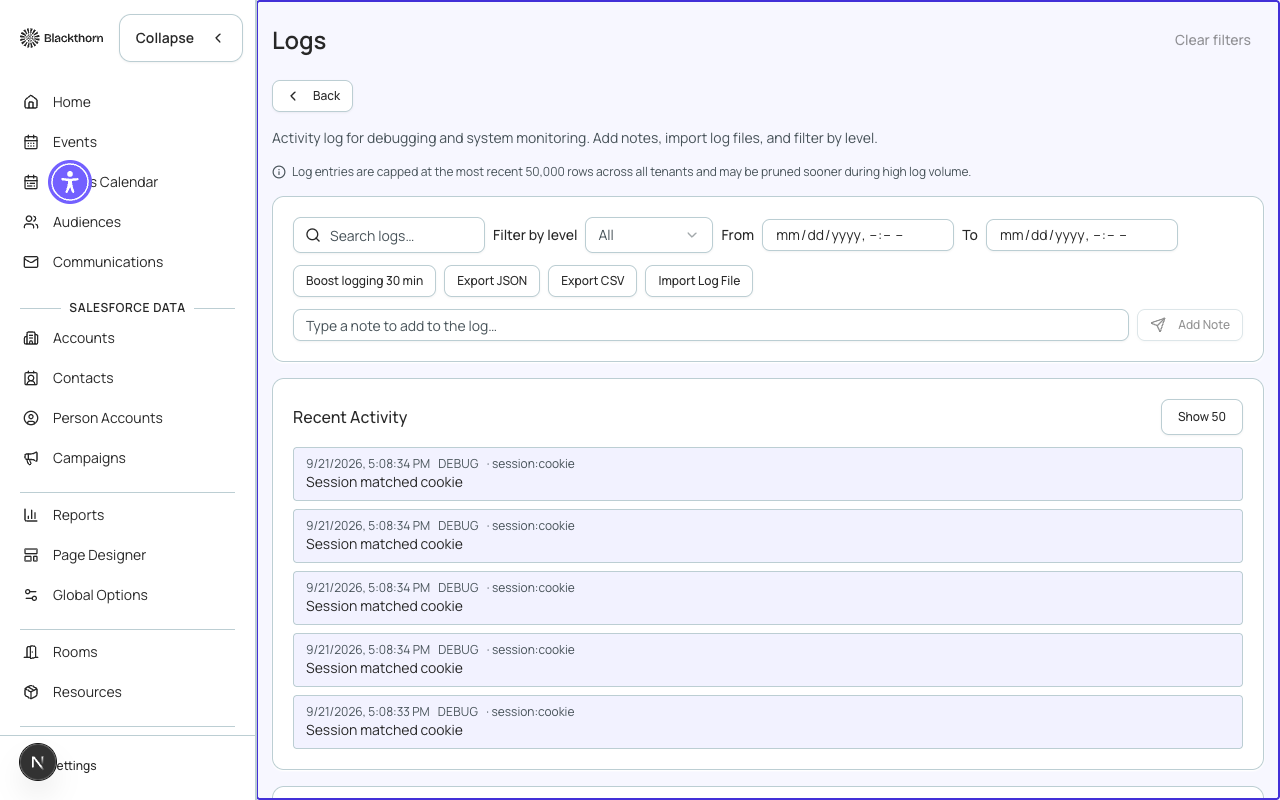
API and webhook logs
Every outbound Salesforce API call and every inbound/outbound webhook event is logged with its timestamp, HTTP method, endpoint, response status code, and latency. These logs are retained for 30 days.
- Filter logs by date range, status code (e.g., 2xx successes vs. 4xx/5xx errors), and direction (inbound or outbound).
- Click any log entry to expand the full request and response body.
- Error entries are highlighted in red. A spike in errors on a specific endpoint often signals a Salesforce API limit issue or a misconfigured integration.
- Webhook delivery logs show the payload Forge sent and the response from the receiving endpoint — useful when debugging third-party integrations.
Log content and PII
Forge redacts known sensitive fields (access tokens, card data) from all log entries. However, if your Salesforce workflows or custom integrations include personal data in request bodies, that data may appear in webhook logs. Review log retention and access policies with your data protection officer before granting broad access to this page.
Audit log
The Audit Log records user-initiated actions in Forge — event creation, attendee status changes, gateway configuration edits, user invitations, and more. Each entry records the action type, the affected record, the user who performed the action, and the timestamp.
| Column | Description |
|---|---|
| Timestamp | UTC time of the action. |
| User | The Forge user who performed the action. |
| Action | What was done (Created, Updated, Deleted, Invited, etc.). |
| Object | The type of record affected (Event, Attendee, Gateway, User, etc.). |
| Record | The name or identifier of the specific record affected. |
| Details | A human-readable summary of the change (e.g., "Status changed from Invited to Registered"). |
Exporting logs
Use the Export button on either log page to download a CSV of the current filtered view. Exports are scoped to your applied filters and date range — there is no limit on the number of rows exported.
Audit log entries are immutable — they cannot be edited or deleted by any Forge user, including system administrators. This immutability supports compliance and SOC 2 requirements.