Portals
Sponsor Portal (Beta)
BetaBeta — gated feature
The Sponsor Portal is a beta feature gated by the PORTALS_ENABLED flag and a per-tenant feature flag. Contact your Blackthorn account team to enable it. Behavior and interface may change before general availability.
The Sponsor Portal gives sponsor organizations a self-service interface to manage their sponsorship profile, upload brand assets, review their sponsorship package deliverables, and stay in communication with your event team — without needing access to Forge or Salesforce.
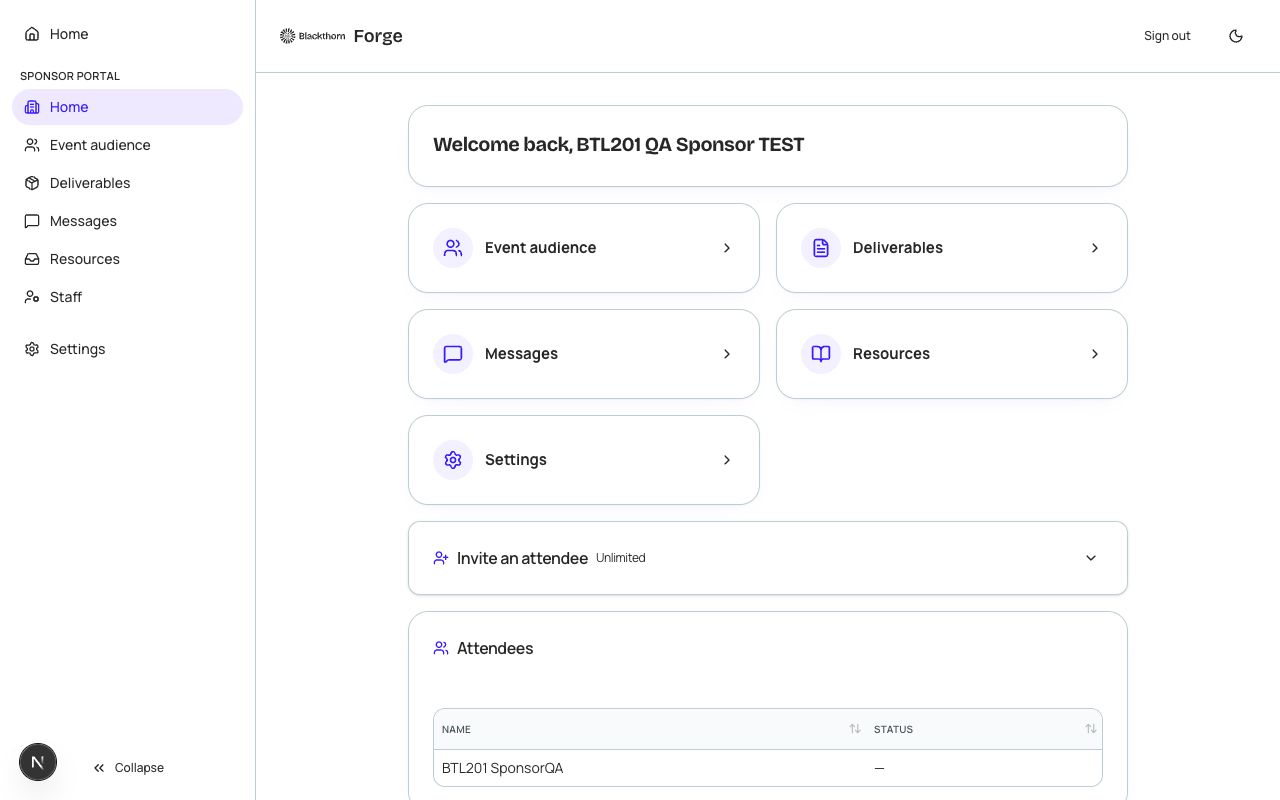
How sponsors access the portal
When a sponsor is confirmed in Forge (Status: Confirmed on the conference360__Sponsor__c record), an event admin can send a portal invitation. The invitation email contains a unique magic link. Any contact at the sponsor organization who receives the link can access the portal — there is no password to manage.
Sponsor self-service features
- Profile — Company description, website URL, social links.
- Brand assets — Upload logo (PNG/SVG) and any required promotional materials.
- Deliverables — Checklist of items the organizer requires (e.g., "500-word company description", "high-res logo by Aug 1"); sponsors can mark items submitted and upload files.
- Package details — Read-only view of their sponsorship level and included benefits.
- Messages — Thread with the event organizer team; sponsors can reply to messages.
- Resources — Sponsor guide, booth diagrams, and other documents published by the organizer.
Planner-side management
- Open an event and navigate to the Sponsors tab.
- Find a confirmed sponsor and click Manage Portal Access.
- Send or resend the portal invitation, view deliverable completion status, post messages, publish resources, and revoke access if needed.
- To publish a shared resource to all sponsors, go to the Sponsors tab header menu and choose Publish Resource.
| Forge | SF Object | SF Field |
|---|---|---|
| Sponsor record | conference360__Sponsor__c | Name, conference360__Level__c, conference360__Account__c |
| Brand assets | conference360__Sponsor__c | linked ContentDocument (Salesforce Files) |
Sponsors can be associated with a Salesforce Account record. When a sponsor record has a linked Account, Forge pre-populates the portal profile with the Account's website and description, reducing the amount the sponsor needs to enter manually.