Portals
Speaker Portal (Beta)
BetaBeta — gated feature
The Speaker Portal is a beta feature gated by the PORTALS_ENABLED flag and a per-tenant feature flag. Contact your Blackthorn account team to enable it. Behavior and interface may change before general availability.
The Speaker Portal is a self-service web portal where confirmed speakers can manage their profiles, upload headshots and bios, submit session materials, and communicate with event organizers — all without needing a Forge login.
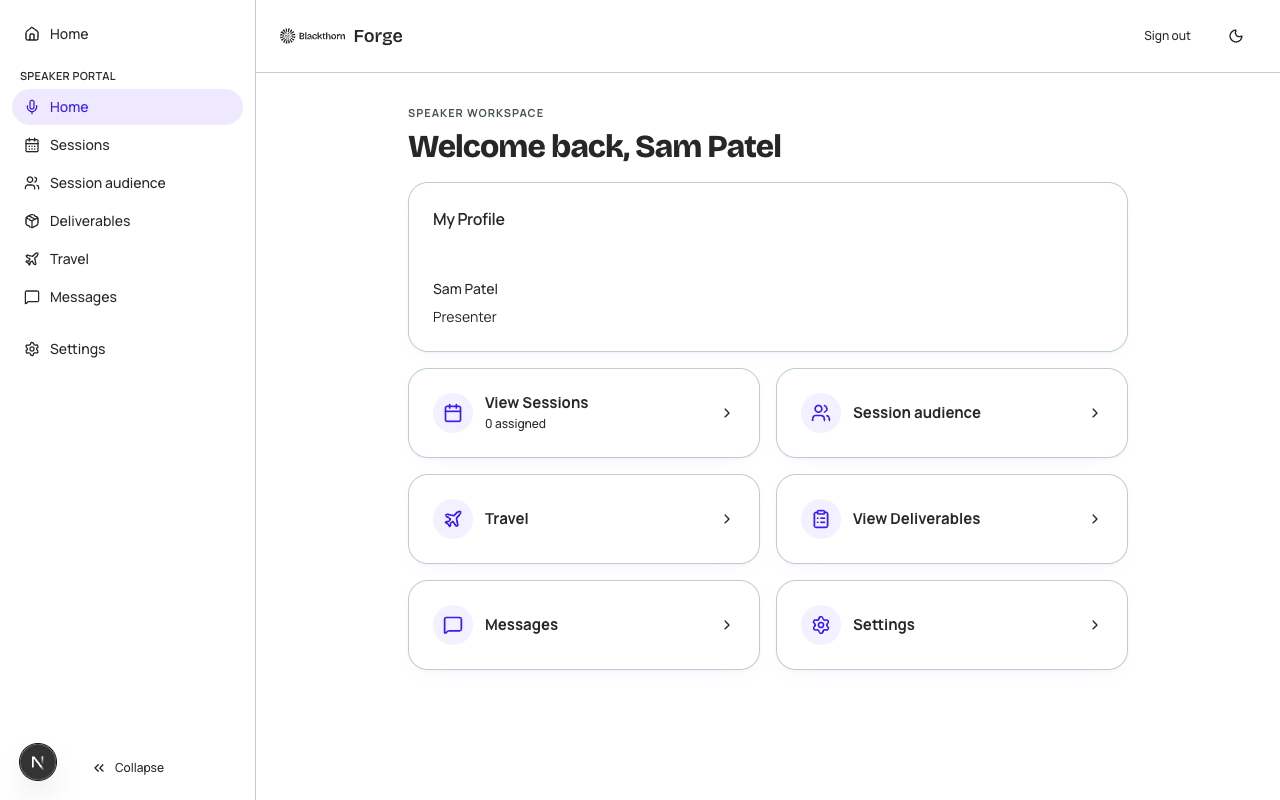
How speakers access the portal
When you mark a speaker as Confirmed in Forge, a "Send Portal Invitation" button appears on their record. Clicking it sends the speaker a secure, unique link to their portal. The link is valid for 30 days; speakers click it to activate their session without a password — the portal uses magic-link authentication.
Speaker self-service features
- Profile — Edit bio, title, company, social links, and upload a headshot.
- Sessions — View all sessions they are assigned to, including room, time, and abstract.
- Deliverables — Upload slide decks, handouts, or other materials requested by the organizer.
- Messages — Read-only message thread with the event organizer; speakers can reply.
- Resources — Access documents the organizer has published to all speakers (speaker guide, venue maps, etc.).
Planner-side management
- Open an event and navigate to the Speakers tab.
- Find a confirmed speaker and click Manage Portal Access.
- From the panel, you can: send or resend the portal invitation, view whether the speaker has logged in, view their profile-completion percentage, send a message, and revoke portal access if needed.
- To publish a shared resource to all speakers, go to the event's Speakers tab header menu and choose Publish Resource.
| Forge | SF Object | SF Field |
|---|---|---|
| Speaker profile | conference360__Speaker__c | Name, conference360__Bio__c, conference360__Title__c, conference360__Company__c |
| Session assignment | conference360__Session__c | conference360__Event__c (speaker linked via junction) |
| Headshot | conference360__Speaker__c | linked ContentDocument (Salesforce Files) |
Personal data
Speaker portal profiles contain personal information (name, bio, headshot, contact details). This data is stored in Salesforce (conference360__Speaker__c) and fetched just-in-time by Forge. Forge does not persist speaker PII in its own Postgres database.