Beta & Experimental Features
Auctions (Beta)
Interested?Manage on the Beta Features pageThe Auctions module lets you run live, silent, and timed auctions through Forge — with bidder registration, mobile bidding, proxy bids, buy-now pricing, and fund-a-need giving — all backed by the bt_fundraising__ Salesforce package.
Beta feature
Auctions is a beta feature built on the bt_fundraising__ managed package. Enable it for your org on the /beta page. The live bidding engine is a separate service (blackthornio/Auctions) that Forge proxies; behavior may change before general availability.
What it does
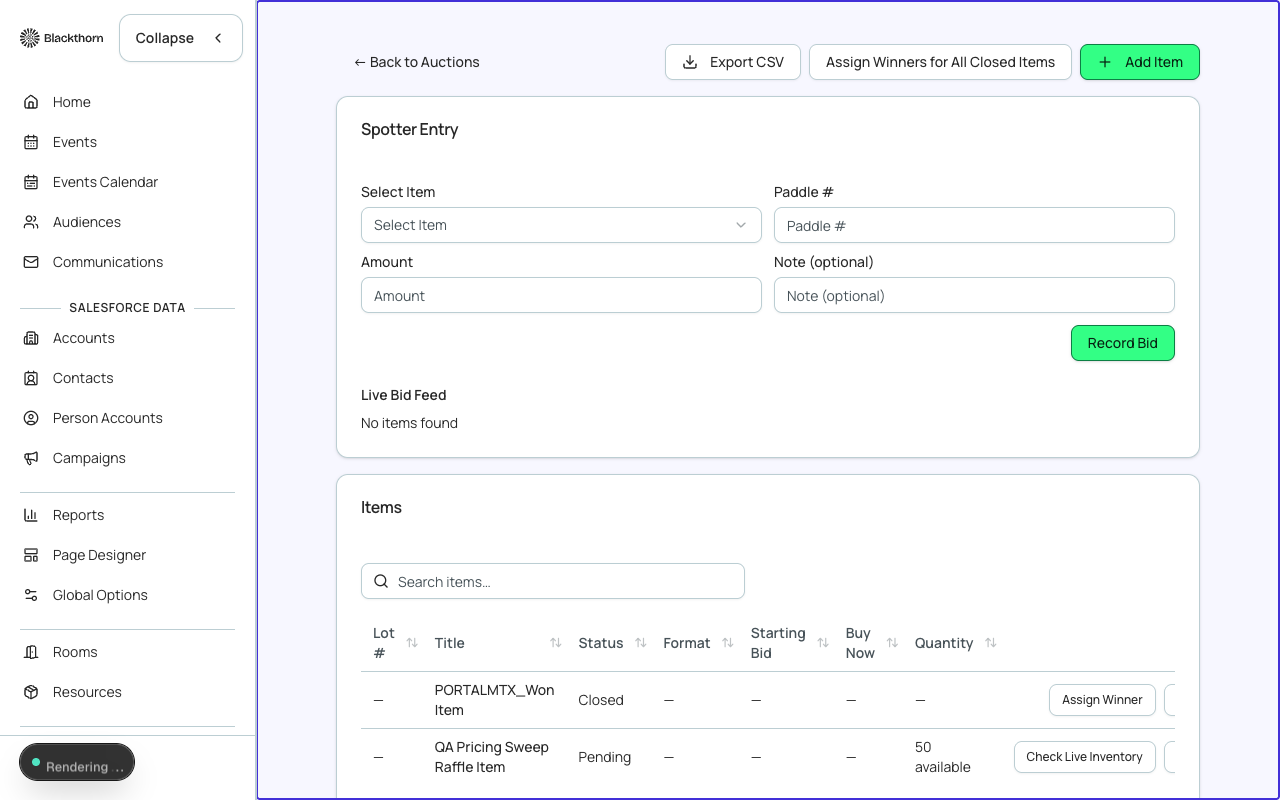
- Three auction formats: Live (auctioneer-driven with real-time bid display), Silent (items bid over a time window), Timed (countdown per item, fully online)
- Bidder registration: attendees register to bid and receive a bidder number
- Mobile bidding: bidders use a mobile-optimized page to place and track bids in real time
- Proxy bidding: bidders set a maximum bid; the system auto-bids on their behalf
- Buy-now pricing: allow immediate purchase at a fixed price
- Fund-a-need (raise-the-paddle): live solicitation with instant giving during the live event
- Item catalog: photos, descriptions, fair market value, minimum bid, and bid increment per item
- Auction appeals: solicitations tied to specific items or campaigns
- Real-time bid leaderboard for display screens
- Checkout and payment processing at auction close
- Bidder portal (Forge route) for winners to view items won and payment status
How to enable
- Ensure the bt_fundraising__ managed package is installed in your Salesforce org.
- Go to /beta and toggle Auctions on.
- Navigate to Auctions in the Forge sidebar.
- Click New Auction and choose your format: Live, Silent, or Timed.
- Add auction items. For each item set a name, description, photo, starting bid, bid increment, and (optionally) a buy-now price.
- Configure bidder registration: choose whether all event attendees auto-register as bidders or if explicit opt-in is required.
- Publish the auction. Bidders access it through the bidder portal URL or the event page.
- For live auctions, open the Auctioneer Console on event day to control item progression and call bids.
- Close the auction when bidding ends. Forge sends winner notifications and opens the checkout flow.
- Review the post-auction financial summary in Forge and confirm transactions against Salesforce records.
Auction formats compared
| Format | Bid window | Auctioneer needed? | Best for |
|---|---|---|---|
| Live | Real-time during event | Yes — uses Auctioneer Console | Gala dinners, fundraising events with live audience |
| Silent | Fixed time window (e.g. 6pm–9pm) | No | Cocktail hours, concurrent with live program |
| Timed | Countdown per item, online-only | No | Online-only auctions, pre-event fundraising |
Salesforce data model
| Forge | SF Object | SF Field |
|---|---|---|
| Auction | bt_fundraising__Auction__c | Type (Live/Silent/Timed), status, event lookup |
| Auction item | bt_fundraising__Auction_Item__c | Name, starting bid, bid increment, buy-now price, FMV |
| Bid | bt_fundraising__Bid__c | Bidder, item, amount, timestamp, proxy max |
| Auction registration | bt_fundraising__Auction_Registration__c | Bidder number, attendee lookup, payment status |
| Auction pledge | bt_fundraising__Auction_Pledge__c | Fund-a-need pledge amount, payment status |
| Auction transaction | bt_fundraising__Auction_Transaction__c | Item won, winning bid, checkout status |
| Auction appeal | bt_fundraising__Auction_Appeal__c | Solicitation text, linked items, goal amount |
| Raffle | bt_fundraising__Raffle__c | Ticket price, prize description, draw date |
| Raffle entry | bt_fundraising__Raffle_Entry__c | Attendee, number of tickets, payment |
Live bidding engine
The real-time bid display for live and timed auctions is powered by a separate WebSocket service (blackthornio/Auctions). Forge acts as a thin proxy through planner-ui/server/live-auction-proxy.ts and the useLiveAuctionSocket hook. All Salesforce writes (bid records, transactions) go through Forge's managed CRUD executor.
PII in bidder records
Bidder names, contact details, and payment information are stored only in Salesforce (Contact and Auction_Registration__c records). The live bidding engine stores only bidder numbers and bid amounts — never personal data.
Current limitations
- The auctioneer console is optimized for desktop browsers; mobile auctioneer control is in development.
- Raffle module is available in the data model but the Forge UI for raffle management is in early beta.
- The standalone bidder mobile webapp (Angular-based) is in development; the current bidder experience is a Forge Next.js route.
- Automatic NPSP/NPC opportunity sync for auction wins is provided through the Giving Data Models feature (must be enabled separately).
- Live auction streaming (video integration) is not included — Forge manages bidding only.
- Auction item images are stored in Salesforce Files, not in Forge's Postgres layer.