Communications
Metrics and Deliverability
The Metrics panel on the event Communications tab gives you a real-time view of how each email send performed — from delivery through engagement. Understanding these metrics helps you improve future sends and identify deliverability issues early.
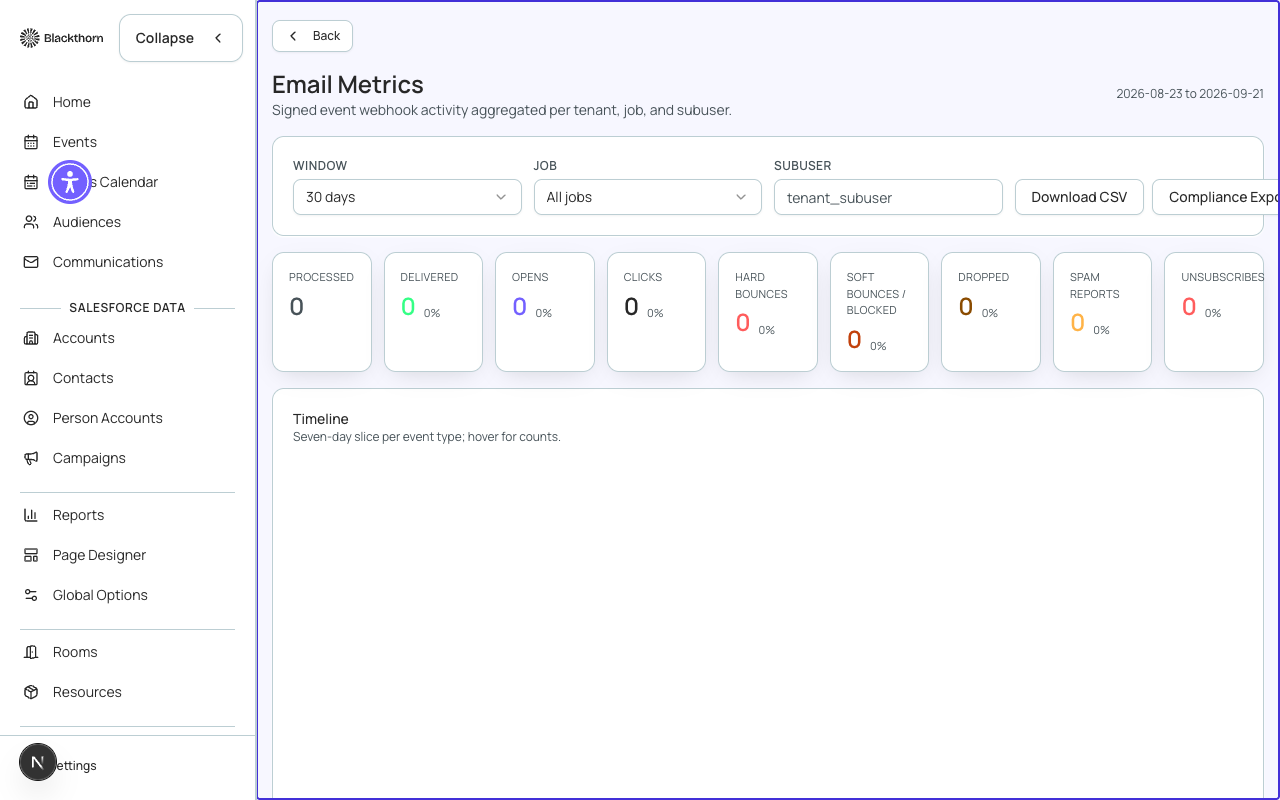
Core Delivery Metrics
| Metric | Definition | Healthy benchmark |
|---|---|---|
| Sent | Total number of emails handed off to the email provider for delivery | — |
| Delivered | Emails accepted by the recipient mail server (Sent minus bounces) | > 97% of Sent |
| Delivery Rate | Delivered ÷ Sent × 100 | > 97% |
| Bounced | Emails rejected by the recipient mail server — split into Hard and Soft bounces | < 3% of Sent |
| Hard Bounce | Permanent delivery failure — invalid address, domain does not exist | < 1% — persistent hard bounces suppress future sends to that address |
| Soft Bounce | Temporary delivery failure — mailbox full, server temporarily unavailable | < 2% — Forge retries soft bounces up to 3 times |
Engagement Metrics
| Metric | Definition | Healthy benchmark |
|---|---|---|
| Opened | Number of recipients who opened the email (tracked via a 1×1 tracking pixel) | — |
| Open Rate | Opened ÷ Delivered × 100 | > 20% for event emails; 15–25% typical for B2B |
| Clicked | Number of recipients who clicked at least one link in the email (tracked via link redirects) | — |
| Click Rate | Clicked ÷ Delivered × 100 | > 3% |
| Click-to-Open Rate (CTOR) | Clicked ÷ Opened × 100 — measures how relevant the content was to those who opened | > 15% |
| Unsubscribed | Recipients who clicked the unsubscribe link in this email | < 0.2% per send |
| Spam Complaints | Recipients who marked the email as spam in their mail client | < 0.08% — exceeding this can trigger provider-level sending blocks |
Apple Mail Privacy Protection
Apple Mail Privacy Protection (MPP), active since iOS 15 / macOS Monterey, pre-loads tracking pixels on behalf of users. This inflates open rates artificially — typical Apple Mail open rates can appear 20–30% higher than actual engagement. Use click rates as a more reliable engagement signal.
Bounce Management
Forge automatically manages bounce suppression to protect your sender reputation:
- Hard bounces permanently suppress the email address from all future sends on your account.
- Soft bounces suppress the address for 72 hours, then re-enable it for future sends.
- Manually suppressed addresses can be reviewed and removed from the suppression list in Global Options > Email > Suppression List.
- Suppressed address counts are shown per send in the Metrics panel.
Spam and Complaint Handling
When a recipient marks your email as spam, the complaint is reported to Forge via a feedback loop (FBL) from the email provider. The address is automatically added to the suppression list. If your spam rate exceeds 0.1% in a rolling window, Forge displays a deliverability warning and may temporarily throttle sends until the rate drops.
Deliverability Health Score
The Deliverability Health Score is a composite indicator shown at the top of the Communications Metrics panel. It combines your bounce rate, spam complaint rate, unsubscribe rate, and domain authentication status into a single score from 0–100. A score below 70 triggers actionable recommendations.
| Score range | Interpretation | Recommended action |
|---|---|---|
| 90–100 | Excellent — your sending reputation is healthy | Continue current practices |
| 70–89 | Good — minor issues may be present | Review the bounce breakdown and check for hard-bounce clusters on a single domain |
| 50–69 | Fair — deliverability is at risk | Investigate spam complaints, verify domain DNS records, clean your contact list |
| 0–49 | Poor — immediate action required | Pause large sends, clean suppression list, contact your email provider to review |
Domain Authentication Status
The Metrics panel shows real-time status for the three DNS authentication records that protect your sending domain:
| Record | What it does | Status indicators |
|---|---|---|
| SPF | Authorizes Forge's sending servers to send on behalf of your domain | Valid / Missing / Invalid |
| DKIM | Cryptographically signs outgoing emails so recipients can verify they were not tampered with | Valid / Missing / Invalid |
| DMARC | Tells recipient mail servers what to do with emails that fail SPF or DKIM (quarantine or reject) | Valid / Missing — strongly recommended but not strictly required |
DNS changes take time to propagate
After adding or updating SPF, DKIM, or DMARC records in your DNS provider, allow up to 48 hours for global propagation before the Forge metrics panel shows a Valid status.